
CHSN
CHSNSports
3.1255.00 Reviews
- Version
- Varies With Device
- Installs
- 50.00K
- Age Rating
- Everyone
Screenshots
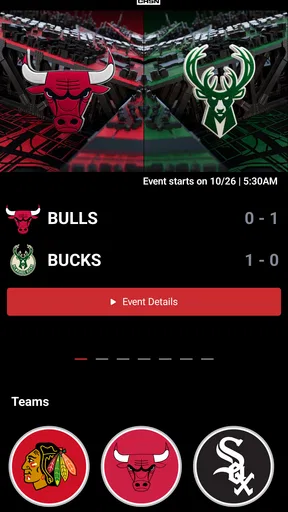

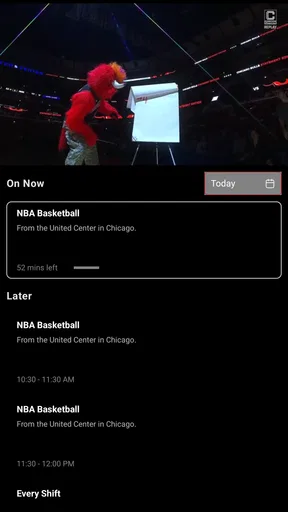
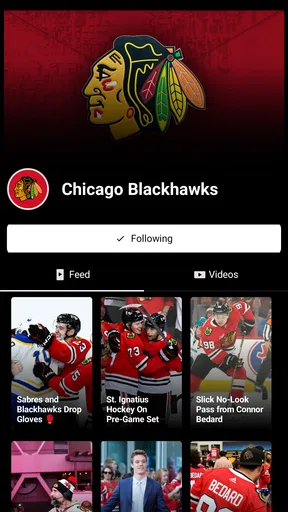
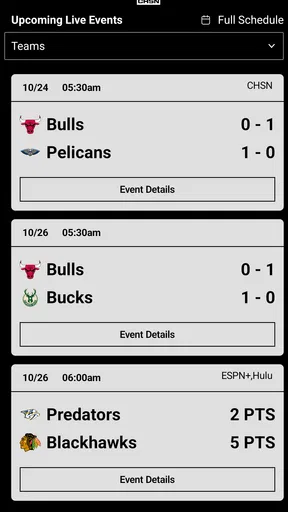

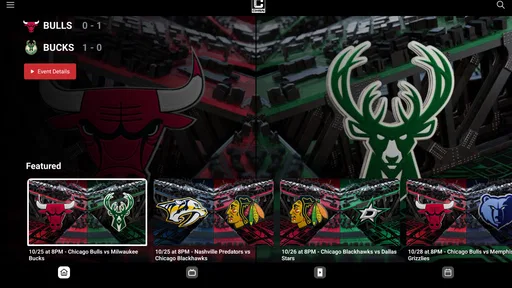

Our Review of CHSN
 Analysis by Appyee
If you're anything like me, you're always on the hunt for apps that make life easier, more organized, and frankly, a bit more fun. Enter CHSN, an app that's been making waves lately. It's not just another productivity tool; it's a whole ecosystem designed to streamline communication and collaboration. But does it live up to the hype? Let's dive in and find out.
First Impressions
When you first open CHSN, you're greeted with a sleek, intuitive interface. It's clear that a lot of thought went into the design. Everything is where you'd expect it to be, which makes navigation a breeze. The app is available for both Android and iOS, so no one gets left behind.
Features That Shine
One of the standout features of CHSN is its robust messaging system. Whether you're chatting one-on-one or in groups, the app keeps everything organized. You can even create channels for specific topics, making it easy to keep work and personal chats separate.
Another feature that caught my attention is the file-sharing capability. You can share documents, images, and even videos without a hitch. The app supports various file formats, so you don't have to worry about compatibility issues. Plus, everything is stored securely in the cloud, giving you access from any device.
Collaboration Made Easy
Collaboration is at the heart of CHSN. The app includes a calendar feature that syncs with your existing calendars, making scheduling meetings a cinch. You can also assign tasks to team members and track their progress, which is a huge plus for project management.
What I really love is the ability to integrate with other popular tools like Google Drive and Dropbox. This makes it super convenient to pull in files and documents you’re already working with.
Security and Privacy
In today's digital age, security and privacy are paramount. CHSN doesn't skimp here. The app uses end-to-end encryption for all communications, ensuring that your data stays private. There's also a handy feature that allows you to set permissions for different users, so you have complete control over who sees what.
User Experience
Using CHSN feels like a breeze. The app is snappy and responsive, with no noticeable lag, even when switching between features. The developers have done a fantastic job optimizing it for both Android and iOS, so it runs smoothly regardless of the platform.
The support team deserves a shoutout too. They're quick to respond to queries and are genuinely helpful, which is always a bonus in my book.
Final Thoughts
All in all, CHSN is a powerhouse app that delivers on its promises. Whether you're a freelancer, part of a small team, or managing a large organization, it offers tools that can enhance productivity and simplify communication. It’s user-friendly, secure, and packed with features that make it a valuable addition to any digital toolkit.
If you haven't tried it yet, I highly recommend downloading CHSN and taking it for a spin. It might just become your new favorite app.
Verdict
Strengths of CHSN
- User-friendly interface for easy navigation.
- Wide range of features for customization.
- Fast performance with minimal lag.
- Regular updates with new content.
- Comprehensive support and FAQs section.
Limitations of CHSN
- Limited offline functionality available.
- Some features require in-app purchases.
- Occasional ads can be intrusive.
- May drain battery quickly on older devices.
- Requires stable internet for optimal use.
Similar Picks in This Category
View All
BeSoccer: Soccer Live Score
BeSoccer apps4.3

Cricbuzz - Live Cricket Scores
Cricbuzz.com3.7

NFL
NFL Enterprises LLC2.4

Da Fit
MO YOUNG LIMITED3.6

ESPN
Disney4.5

LiveScore: Live Sports Scores
LiveScore Limited4.5
Frequently Asked Questions
What is the primary function of the CHSN app?
The CHSN app is designed to provide users with a comprehensive platform for social networking and community engagement. It allows users to connect with friends, join interest-based groups, and participate in community events. The app also offers features like instant messaging, event notifications, and news feeds tailored to user preferences.
Is CHSN available on both Android and iOS devices?
Yes, CHSN is available for download on both Android and iOS platforms. Users can find the app on the Google Play Store for Android devices and the Apple App Store for iOS devices, ensuring a seamless experience across different mobile operating systems.
How does CHSN ensure user privacy and data security?
CHSN prioritizes user privacy and data security by implementing robust encryption protocols and privacy settings. Users have control over their personal information and can customize their privacy settings to limit data sharing. Regular updates and security audits are conducted to protect against vulnerabilities.
Are there any in-app purchases or subscription fees in CHSN?
CHSN offers a free version with essential features accessible to all users. However, there are optional in-app purchases and subscription plans that provide enhanced functionalities and an ad-free experience. These options are designed to cater to users who wish to access premium content and features.
What kind of support does CHSN offer to its users?
CHSN provides comprehensive customer support through multiple channels, including an in-app help center, email support, and a dedicated FAQ section. Users can access tutorials, troubleshooting guides, and contact support representatives for assistance with any issues or inquiries they may have.
